You can make your own circuitboard!
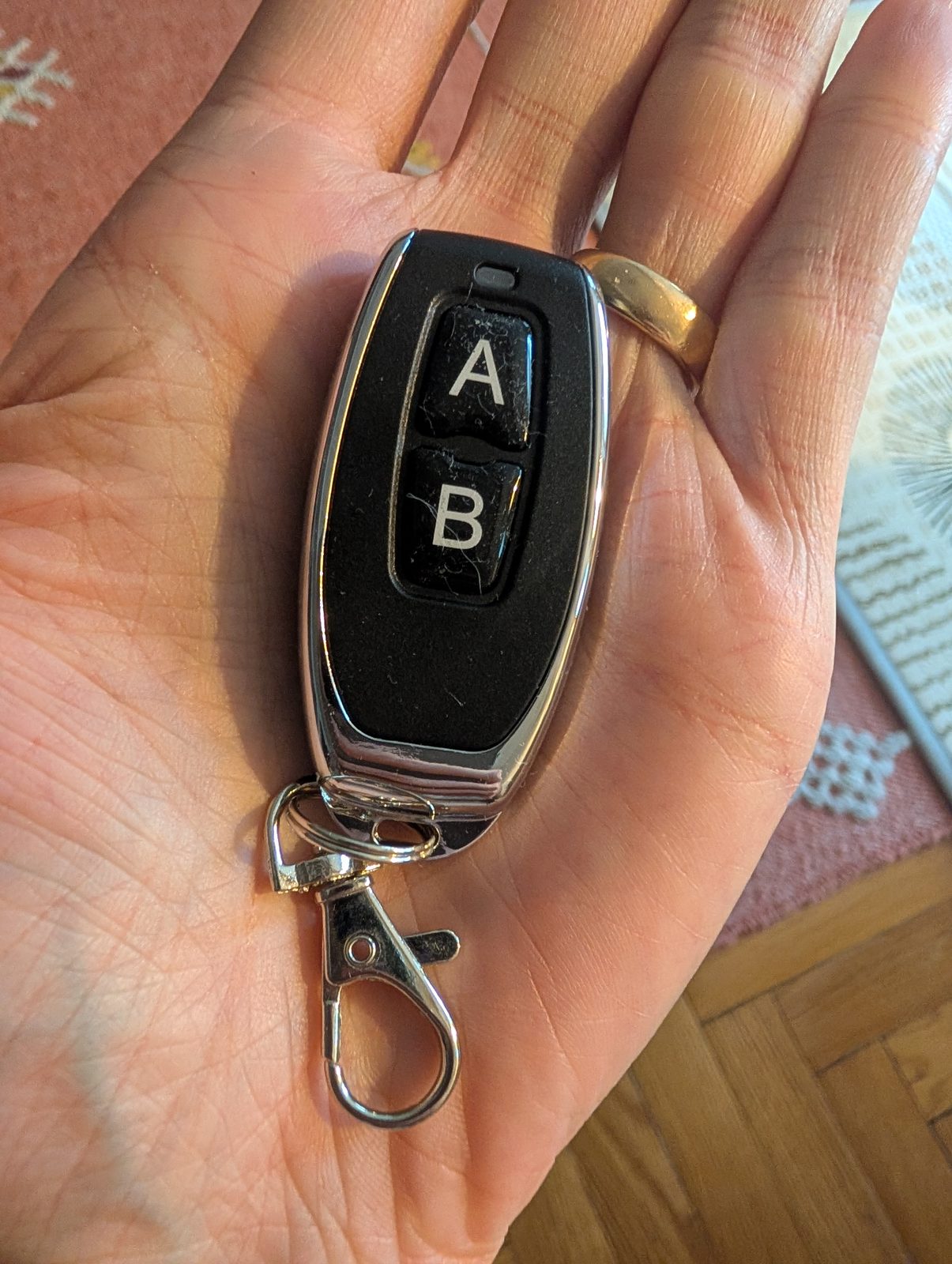
Since the baby arrived, my wife loses her phone around the house constantly. She used to ping it from her Apple Watch, but she switched to a Fitbit Air recently, so that went away. She asked for a button she could keep on her keychain or in the coffee-table bowl to make her phone ring.
So I built one: press a 433 MHz remote, and her phone starts ringing. One button rings Tess’s iPhone through iCloud Find My, the other rings my Pixel through KDE Connect.
Design
I wanted something with good battery life, good range, no app, and no account to maintain. Wifi takes too long to associate (or too much power to stay associated). So instead I used a cheap 433 MHz keyfob remote (like a garage door opener).
The receiver is a QIACHIP RX480E EV1527 decoder module. Press a paired remote and it pulls one of four data lines (D0..D3) high; in momentary mode the line stays high while the button is held and drops shortly after release. Pairing is done on the module itself with its learn button.
My first prototype put the RX480E on a breadboard next to a Seeed XIAO ESP32-C6 running Zephyr. The firmware watched the module’s VT line as an interrupt, sampled D0..D3 for the button code, and POSTed it over Wi-Fi to a FastAPI service on the PC. It worked, but it needed Wi-Fi credentials baked into firmware and a separate power supply for the microcontroller.
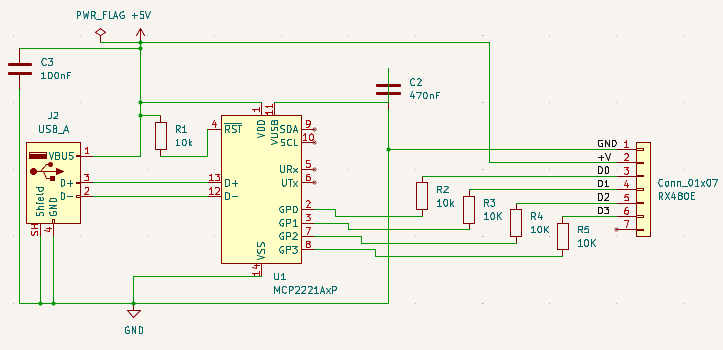
For V2 I deleted all of that. The final dongle is just the RX480E wired straight into an MCP2221A USB bridge on a USB-stick.
No firmware, no crystal, no regulator, no programmer. Plug it in to my computer, and the kernel’s hid-mcp2221 driver exposes GP0..GP3 as a GPIO chip. A small Python service polls them at ~33 Hz. For Tess’s iPhone it uses pyicloud to hit Find My’s play-sound endpoint. For my Pixel it shells out to kdeconnect-cli --ring.
Getting it onto a PCB
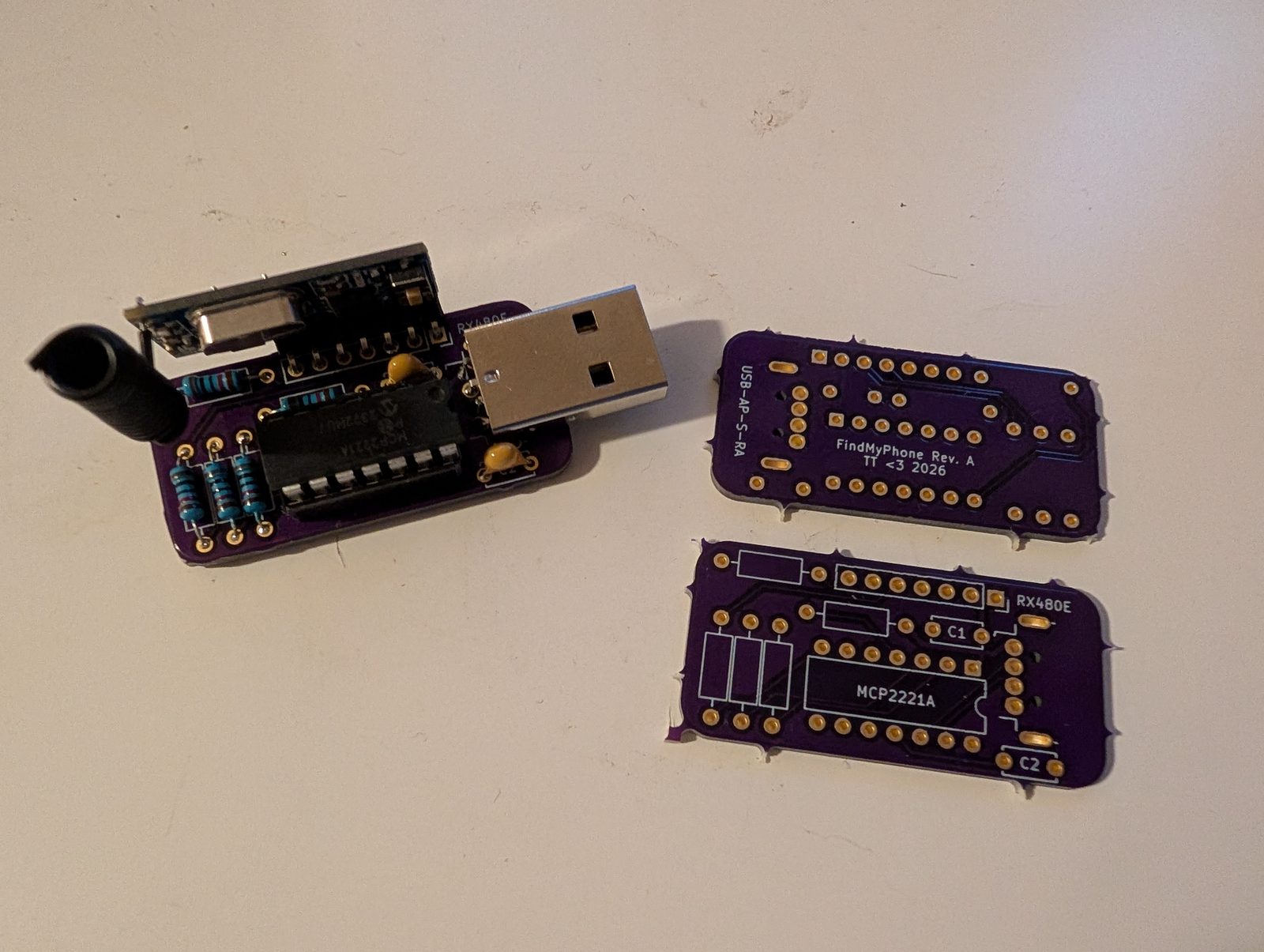
I drew the schematic and two-layer board in KiCad, all through-hole so I could hand-solder it: DIP MCP2221A, pin header for the RX480E, axial resistors, ceramic capicitors, and an Adam Tech USB-A plug. This was my first time attempting layout, but KiCad was pretty good at enforcing and verifying reasonable design constraints.
I sent it to OSH Park–only $6 for three copies, including shipping! I received them couple weeks later:

After a half hour of soldering it seemed to work!
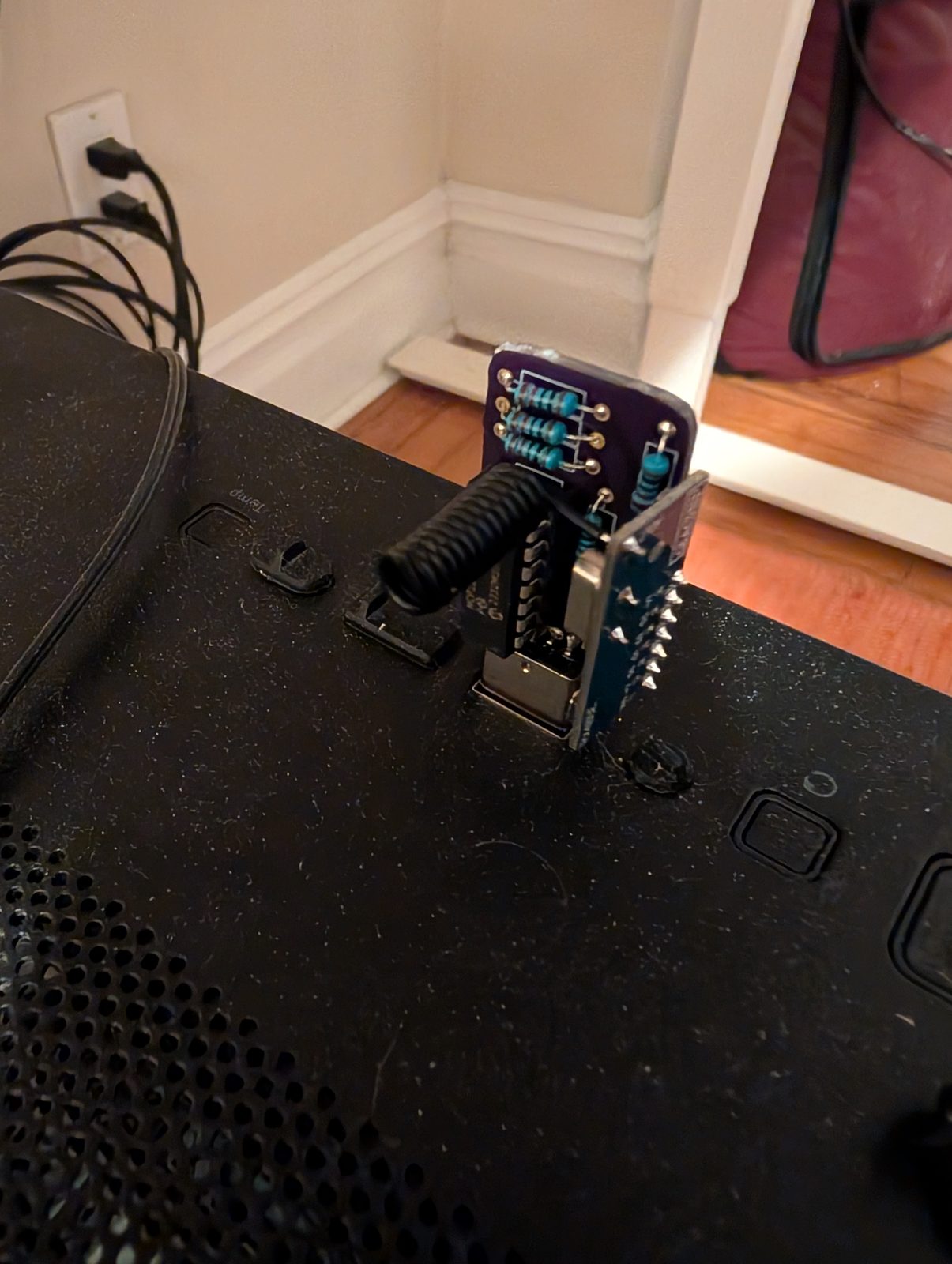
and here’s what it looks like plugged into my PC:
I think it’s pretty incredible that using totally free software (Kicad) you can draw a circuit board, upload it, and get real physical copies sent to you in a few weeks for just $5 per square inch.