6 years with the Pinebook Pro
I bought a Pinebook Pro in 2020 to be the laptop I use at home—the one that lives on the coffee table and gets picked up to read something, ssh somewhere, or write a few lines of code. Six years later it is still that laptop, which is more longevity than I expected for $200!
The appeal was the industrial design as much as the price. It is a 14-inch magnesium-shelled machine, light enough to carry around the apartment without thinking about it, and completely silent. There is no fan, because the RK3399 does not need one. That combination—thin, light, passively cooled, and cheap enough that I did not have to be careful with it—was hard to find in 2020 and is still hard to find now. I love the way this thing feels.
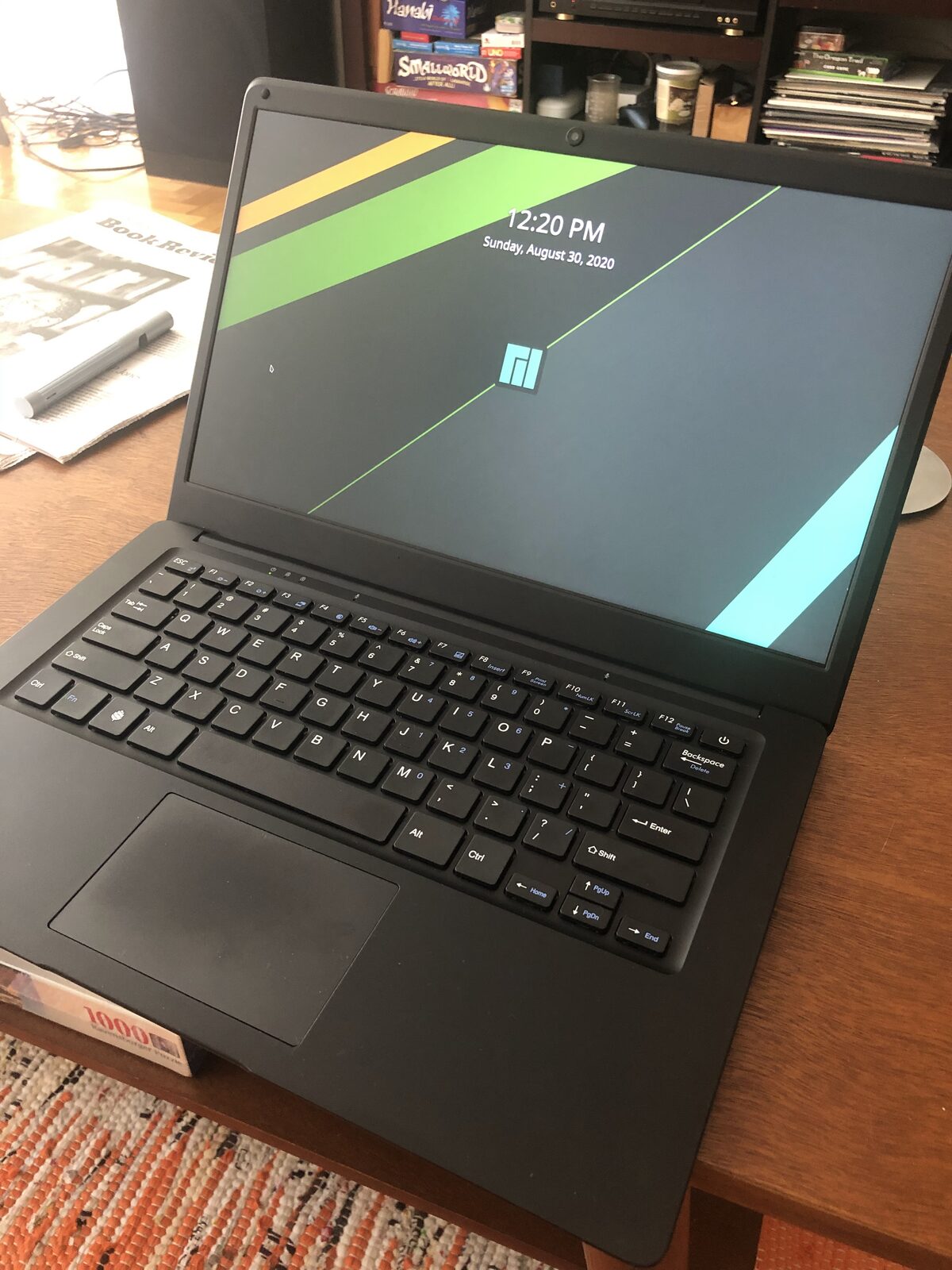
The software was a different story.
The first year
Early on, the Pinebook Pro was a project rather than a computer. The stock image worked, in the sense that it booted and ran a desktop, but everything above the kernel felt provisional. Video was software-rendered in places it should not have been, compositors tore, suspend was unreliable, and the whole system had the quality of a demo that had been asked to become a daily driver.
Most of that got fixed within about a year, and the two changes that mattered most were the graphics stack and Wayland.
Panfrost, the open-source driver for the Mali GPU, is the reason this machine is usable. Once it landed in Mesa and matured, EGL and OpenGL ES actually worked, which meant compositors could be accelerated instead of falling back to software. That single change moved the desktop from “visibly struggling” to “fine.”
The second change was KDE Plasma on Wayland. On X11, the desktop always felt like it was fighting the hardware. Under Wayland, with Panfrost underneath, the fluidity was dramatically better—smooth window movement, smooth scrolling, and a general sense that the compositor was in control of the frame timing instead of hoping for the best. It is the difference between a machine that feels slow and a machine that feels modest.
The desktop environment matters more than I expected. GNOME on this hardware was stuttery and slow: animations dropped frames, the overview was painful, and shell interactions had a persistent lag. KDE, on the same kernel and the same Mesa, was fluid. KDE had a reputation for being “heavy-weight” back in the day, and I did not realize how streamlined and performant it had become.
What genuinely surprised me is that KDE also felt more lightweight than the desktops that advertise themselves that way. I tried XFCE, LXDE, and Cinnamon expecting one of them to be the obvious choice for slow hardware, and KDE beat all of them on perceived speed. I think the reason is that “lightweight” historically meant doing less work on the CPU, and once the Mesa drivers arrived, that stopped being the binding constraint. KDE’s compositor uses the GPU effectively, and on a machine with a weak CPU and a serviceable GPU, moving compositing off the CPU matters more than shipping a smaller widget toolkit.
Native apps are fine; JavaScript apps are not
The clearest pattern in six years of using this machine is that it runs native software well and web software poorly.
Native applications—terminals, editors, file managers, PDF readers, image viewers, media players, the entire KDE application set—are fine. Not fast, but comfortable. The RK3399 has two Cortex-A72 cores and four A53s, and when software is compiled and reasonably efficient, that is enough for the kind of work I do on a couch.
JavaScript is where it falls apart. Anything built on a browser engine—web pages, Electron applications, heavy single-page apps—asks for far more single-threaded performance than this chip can supply. The gap is not a percentage; it is a category difference. A native text editor opens instantly. A web application built to the same purpose spends several seconds parsing and executing before it shows me anything, and stays sluggish afterward.
This is not really a criticism of the Pinebook Pro. It is what happens when you run a 2016 mobile SoC against a web that assumes 2026 desktop performance.
Distro-hopping
I spent an embarrassing amount of the first two years trying different operating systems. The Pine64 wiki keeps a list of Pinebook Pro OS images, and I worked through a good portion of it.
The distributions that worked well were the ones shipping current versions of the three things that actually determine the experience on this hardware: the Linux kernel, Mesa, and KDE. That meant Manjaro ARM, EndeavourOS ARM, and Fedora were consistently the best experiences I had. On a mainstream x86 laptop you can run a conservative distribution and lose very little. Here, being six months behind on Mesa meant giving up Panfrost improvements that were the difference between a smooth desktop and a rough one, and being behind on the kernel meant giving up device support and power management fixes that were still landing.
I settled on EndeavourOS and have been running it for several years now. It is close enough to plain Arch that I get packages quickly, with enough of an installer and default configuration that I did not have to assemble the system by hand. Rolling releases have a reputation for breakage; on this machine, being current has been the thing that keeps it working.
Chrome, VS Code, and Ozone
The other large improvement came from Electron and Chromium learning to speak Wayland natively.
For a long time, Chrome and every Electron application ran through XWayland. That meant an extra translation layer, no fractional scaling, blurry rendering on a HiDPI-ish panel, and worse input latency—on hardware that had none to spare. Switching Chromium’s Ozone layer to a native Wayland backend produced a bigger improvement than any configuration change I made in six years.
In Chrome it was a flag: chrome://flags/#ozone-platform-hint set to Auto. Once that worked, scrolling and compositing improved immediately.
VS Code took more effort, because Electron’s Ozone support arrived before the application was ready for it. Getting it working meant passing the Ozone flags to Electron and then fixing the parts of VS Code that assumed X11. On Arch, the flags go in a config file that the launcher reads:
# ~/.config/code-flags.conf
--enable-features=UseOzonePlatform,WaylandWindowDecorations
--ozone-platform=wayland
and then, because the native title bar was not supported under Wayland, VS Code had to be told to draw its own:
// settings.json
{
  "window.titleBarStyle": "custom"
}
Without that second piece you got a window with no usable decorations, which is the kind of failure that makes you assume the whole approach is broken. With both, VS Code became genuinely pleasant—sharp text, correct scaling, no XWayland tax.
All of this is now unnecessary. Electron and Chromium default to Wayland when it is available, VS Code handles its own decorations, and I deleted my flags file some time ago without noticing any difference. The workarounds had a shelf life of about three years, which is roughly how these things go.
Linux on ARM turned out fine
The thing that surprised me most is how little of my time went to ARM specifically.
I expected architecture to be the recurring problem: missing packages, software that only shipped x86 binaries, drivers that assumed a PC. In practice, the distributions build for aarch64, the repositories are nearly complete, and almost everything just works. The problems I hit were about this device—the GPU driver, the eMMC, suspend behavior—not about ARM as a platform. Over six years, that category of problem shrank to almost nothing.
My only real complaint is the web, and that complaint is about the processor rather than the architecture. The RK3399 cannot execute JavaScript at the rate the modern web assumes. Pages that are mostly text load fine. Pages that ship a megabyte of framework take a noticeable amount of time to become interactive, and interactions after that are never quite crisp. It is the one place where I am reminded, daily, what year this silicon is from.
What I’d want next
Six years on, I still like this laptop more than any other one I own. It is light, silent, unpretentious, and it does what I ask on the couch. Nothing currently on sale hits the same combination of passive cooling, weight, price, and openness—the closest options are all thicker, more expensive, or more locked down.
What I actually want is not a new laptop. It is a new mainboard. The Pinebook Pro’s design invites this: the chassis is good, the keyboard is fine, the display is fine, and the only part that is genuinely out of date is the SoC. A drop-in board with a newer processor—something with modern A7x cores and enough single-threaded performance to make the web tolerable—would turn this into a machine I would keep for another five years without a second thought.
That is a strange thing to say about a laptop I bought partly because it was cheap. But the parts that made it appealing have aged well, and the part that has not is the one that is, in principle, replaceable. I would like to replace it.