(Nearly) One year with the Bigme HiBreak Pro
I first saw an e-ink Android phone on my coworker’s Boox. At the time I’d been listening to Old School with Shilo Brooks, which discusses great books and why you should read them. I wanted to read more. The phone in my pocket, however, was optimized for a different activity: little jolts of instant gratification arriving faster than I could decide whether I wanted them.
A phone-shaped reading device
The Boox is an interesting device. A phone-sized e-reader, it could come with me on the subway, where I could hold it in one hand like a phone, but make the default activity reading instead of refreshing a feed. But I didn’t want to carry two phone-sized devices, so I went all in and bought the Bigme HiBreak Pro, which is a strange and appealing object: a real Android phone, with 5G, but an e-ink screen instead of the normal LCD or OLED display.
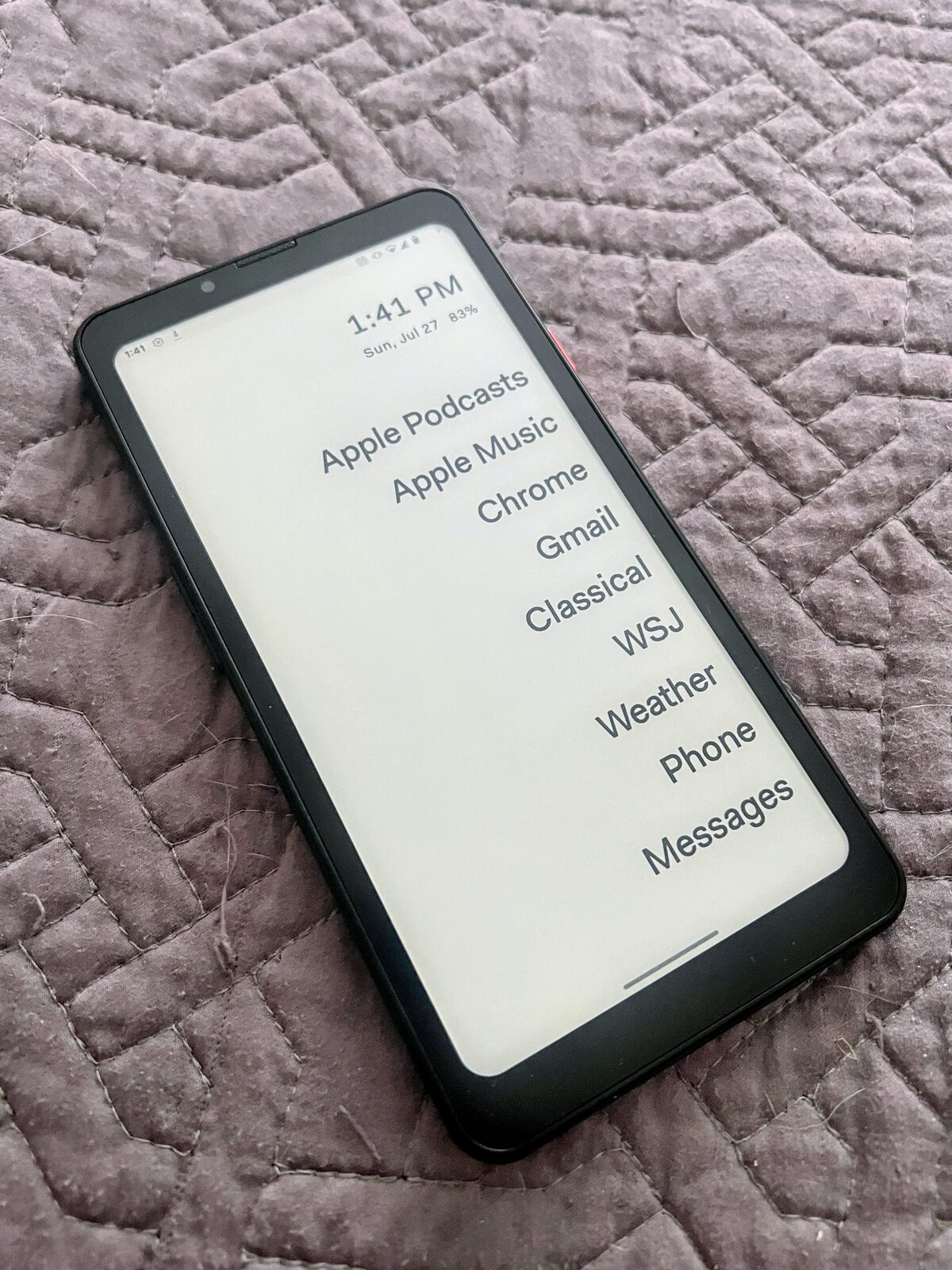
The HiBreak Pro is not a Kindle with a cellular modem. It is a 5G Android phone with Google Play, cameras, GPS, NFC, and ordinary Android applications from the Google Play store. It has a 6.13-inch, 824×1648 display at 300 PPI, and with a 20-megapixel rear camera.
Switching to Android
I had used an iPhone for about ten years, so moving to Android felt like it should be a major migration. In practice it was surprisingly uneventful. My accounts and most of my apps came across, and the things that were different were usually either obvious or unimportant. Android and iOS have converged on many of the same gestures, permissions, notification patterns, and app conventions. There are still differences, but the distance is no longer the distance between two completely different kinds of phone.
I made one detour before settling in. The HiBreak Pro’s stock software has a lot of preinstalled bloatware, and I wanted to see what a cleaner system would feel like. I tried the community Android 14 GSI release, a generic system image that replaces the manufacturer’s operating system. It was a promising experiment, but I could not get it to connect reliably to Verizon, so I went back to Bigme’s firmware.
Bigme’s firmware is not great. You can disable a lot of the bloatware with ADB, but some is essential. I can’tt prove that the software is spyware, but generally the apps have way too broad permissions and suspicious network behavior. But it is hard to tell the difference between “lazy/crappy Android developer” and “CCP spyware”. I use NextDNS to block domains I do not trust.
Making Android e-ink friendly
The most impressive part of the phone is not that Android runs on e-ink. It is that the device tries to make arbitrary Android applications look like they belong on e-ink. Bigme’s e-ink center can remove or suppress backgrounds, adjust contrast, simplify colors, and otherwise translate a normal app into a presentation that the display can handle. It is not a perfect transformation, but it is much more ambitious than simply putting a grayscale panel behind an ordinary phone UI.
The screen itself is high resolution and looks good in the modes that prioritize quality. Books, articles, and static interfaces have the calm, paper-like appearance I wanted. The phone also supports a range of fast refresh modes. In the fastest settings, scrolling and animation feel much more like a normal phone than I expected from e-ink. Android Auto even worked well, which was a surprisingly good test of whether this was a novelty or a usable phone.
The catch is that speed and precision are in tension. The higher refresh rates come with a cost: rendering becomes less precise, text loses its crisp, retina-like quality, and ghosting is more visible. This is mostly manageable because the refresh mode can be configured per app. I set my e-reader to Regal, where text is clean and stable, and assigned faster modes to apps where fluid scrolling or responsiveness mattered more. The right setting is not a property of the whole device; it depends on what I am asking the screen to do.
That flexibility is what makes the HiBreak Pro more useful than a deliberately limited reading appliance. It can be a very good e-reader, a tolerable browser, and a competent general Android device, provided I am willing to tell it which kind of display each app needs.
A partial escape from the feed
The experiment did not end my screen addiction. It has the apps, the network connection, and enough refresh speed to invite the same habits as any other smartphone. In fact, the HiBreak Pro works too well as a phone to serve as a strict digital detox device.
But it did change the texture of using the internet. The extra friction made some activities less attractive without making the device frustrating. I broke my Hacker News habit almost completely. Opening a page was still easy, but the constant, low-value checking loop lost some of its reward. The phone made me more deliberate without requiring me to leave the connected world entirely.
The camera-shaped hole
The thing I missed most about a real phone was the camera. The HiBreak Pro does have one—the specifications promise a 20-megapixel rear camera—but it takes poor photos, and the e-ink screen makes it difficult to compose or review them.
In bright, flat daylight it is perfectly serviceable, especially with some third-party camera apps:


Indoors, or in anywhere in low light, it is not:
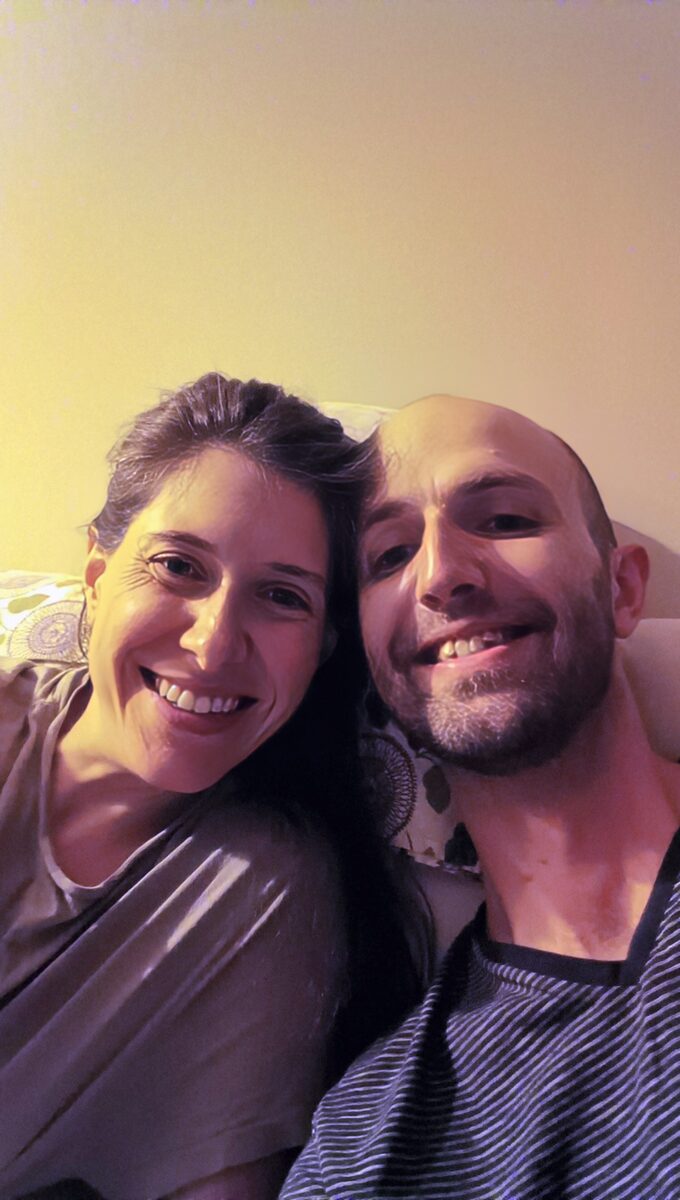
Either way, I was composing on a grayscale screen that could not show me what I had just taken. This mattered more over time. After the birth of my daughter, I wanted a phone that could take good pictures.
So I sold the HiBreak Pro on eBay and bought a Pixel 9 Pro on Backmarket ($10 credit with code: 1ad03df4309a8cfc). The Pixel’s camera is fantastic, and it’s amazingly similar to iPhone hardware. I would not go back to the HiBreak Pro as my only phone.
What the experiment was good for
That conclusion does not make the HiBreak Pro a failure. It is a remarkably usable experiment in changing the incentives around a general-purpose device: the phone-shaped body works on the subway, Android is flexible enough to make the migration painless, the e-ink center’s per-app presentation and refresh controls are clever, and the screen can be beautiful when it is allowed to be slow.
It also clarified what I actually need from a phone. I do not need every app to animate at 120 frames per second, but I do need a camera I can trust. Nearly a year with the HiBreak Pro broke one habit and exposed one priority, and I ended up with a conventional phone—still glad I tried the odd one.