Building an Optimal Yahtzee Player with Go and Raspberry Pi: Part 3
In Part 1 I framed solitaire Yahtzee as a dynamic program, and in Part 2 I built the Go service that computes and serves the optimal policy. A policy table is only half a player, though. The other half has to see the screen, wait for the dice animation, and press the right tiny buttons at the right time.
This post is about that half: a Raspberry Pi, a camera, a small image-processing service, and a collection of relay contacts acting as an unusually determined Yahtzee player.
“Micro”services
The strategy tables are too large to be a comfortable fit for a Raspberry Pi. The project therefore splits the work into a few small services:
Pi Camera
  -> GoCV capture
  -> scikit-image service
  -> strategy API
  -> GPIO relays
  -> handheld buttons
The Pi owns the camera and the GPIO pins. It sends a JPEG to the image-processing service to turn the LCD image into five die values, then sends those values and the current score-sheet state to the Yahtzee strategy service. That service returns a hold, a scoring box, or—when chasing a high score—the instruction to start over.
Keeping the large tables on another machine also made development less awkward: the controller could be tested with manually entered dice before the vision code was ready, and each side of the system could log its own failures.
Pressing buttons without pressing buttons
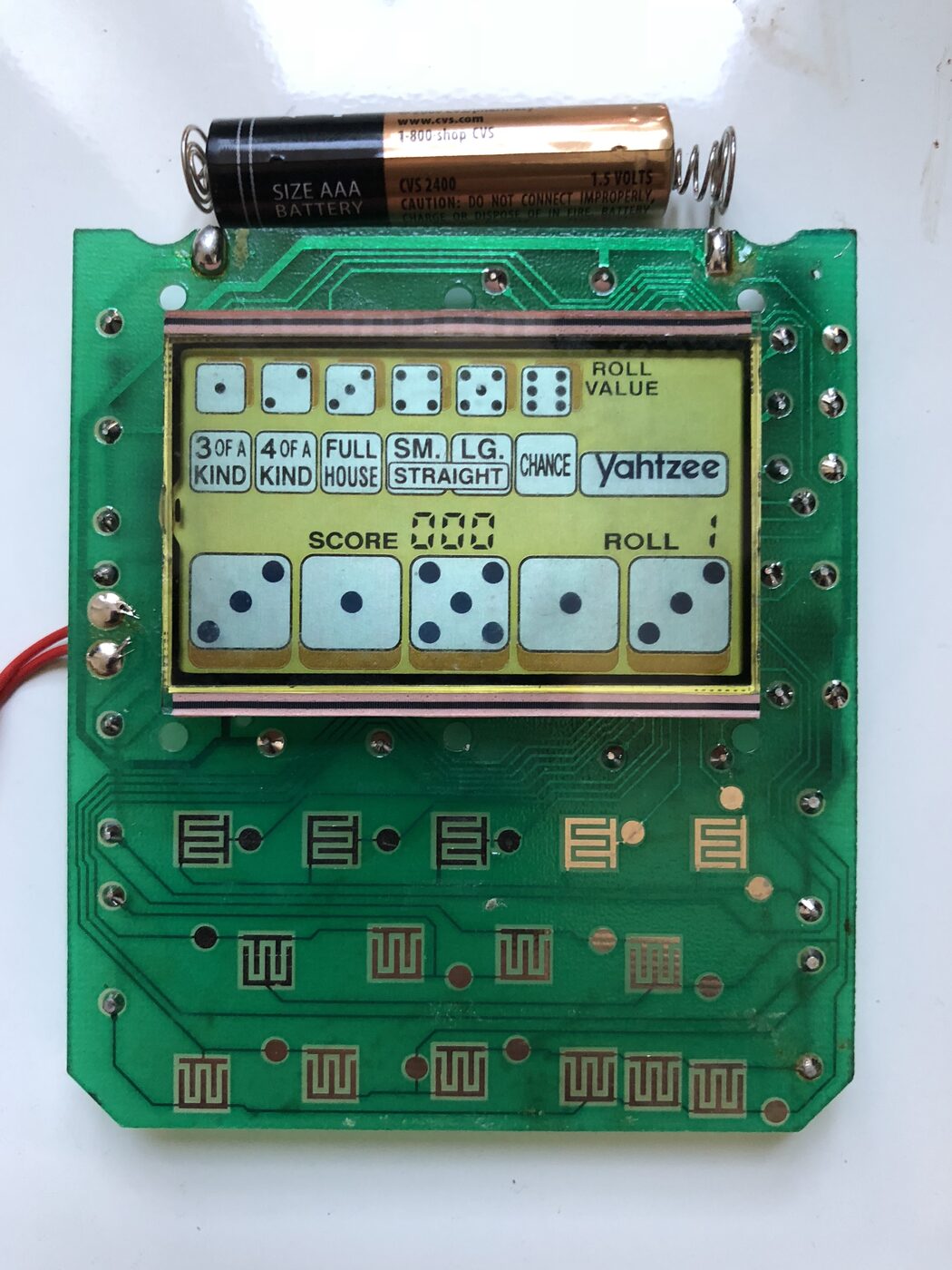
Opening the handheld made the simplest control method obvious. Rather than reverse-engineer the toy’s microcontroller, I treated every button as a switch to be closed. The Pi drives normally-open relays, and the relay contacts bridge the corresponding button contacts on the game board.
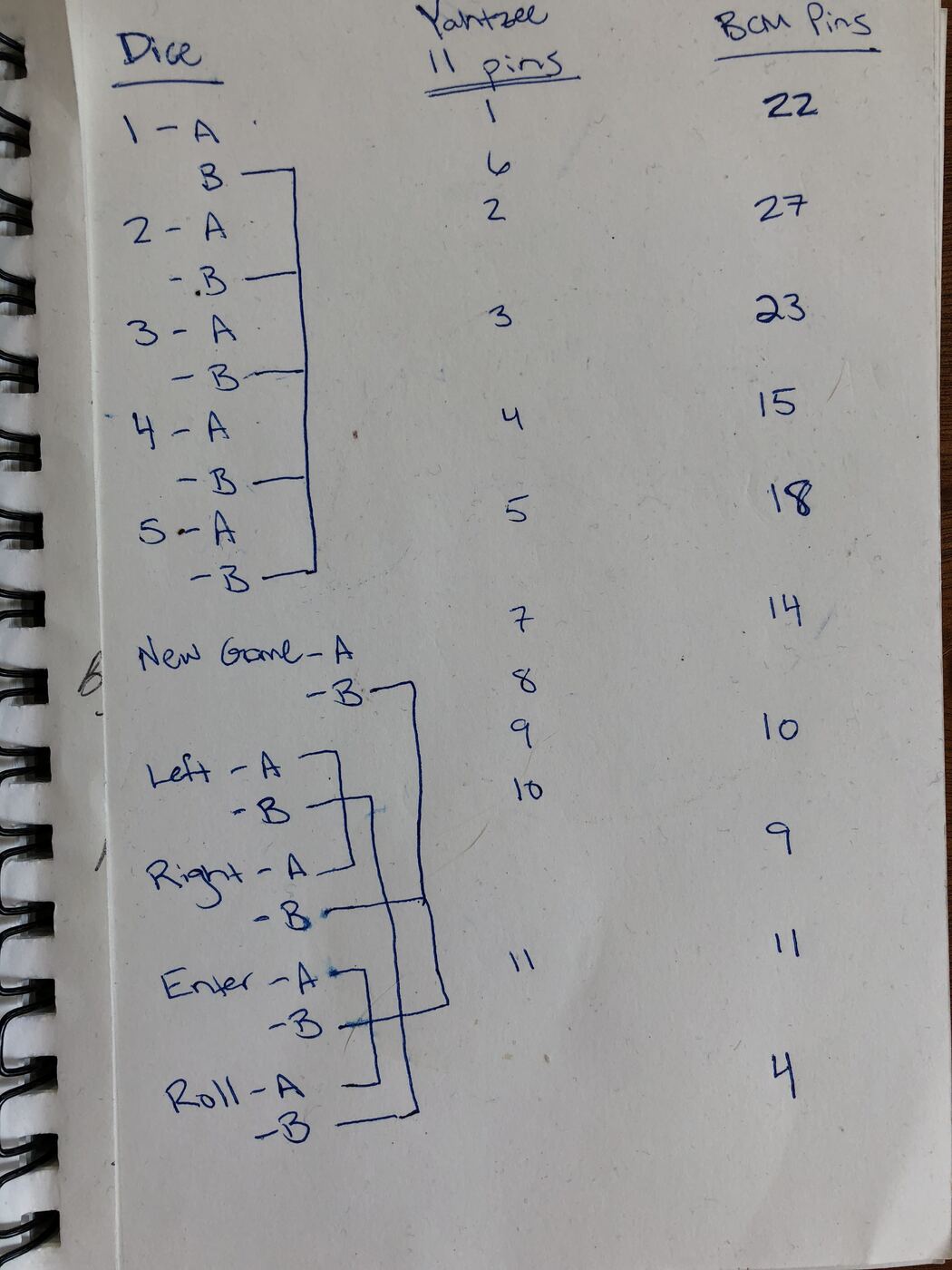
The controller has logical inputs for the five HOLD buttons, New Game, left and right selection, Enter, and Roll. Ordinary presses close a relay for 100 ms; New Game stays down for a second because the toy requires a longer press. The driver also pauses between commands, with an extra pause for repeated presses, because the first prototype was capable of issuing a perfectly valid sequence faster than the handheld could notice it.
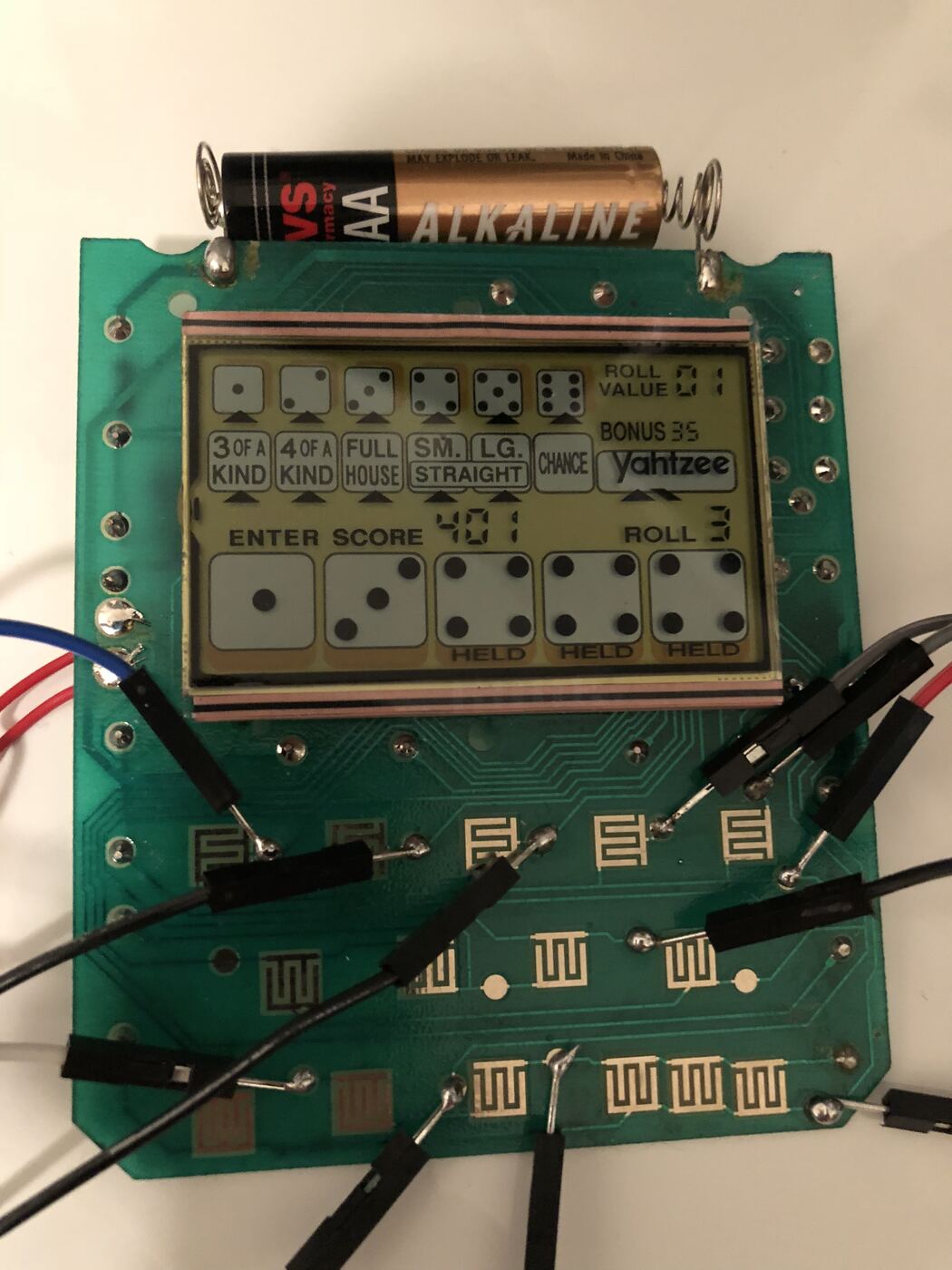
Every button is two contacts, an A side and a B side. The B sides turn out to be tied together in groups—one common for the five dice, another for the control buttons—so the wiring reduces to one relay per button plus a shared return:
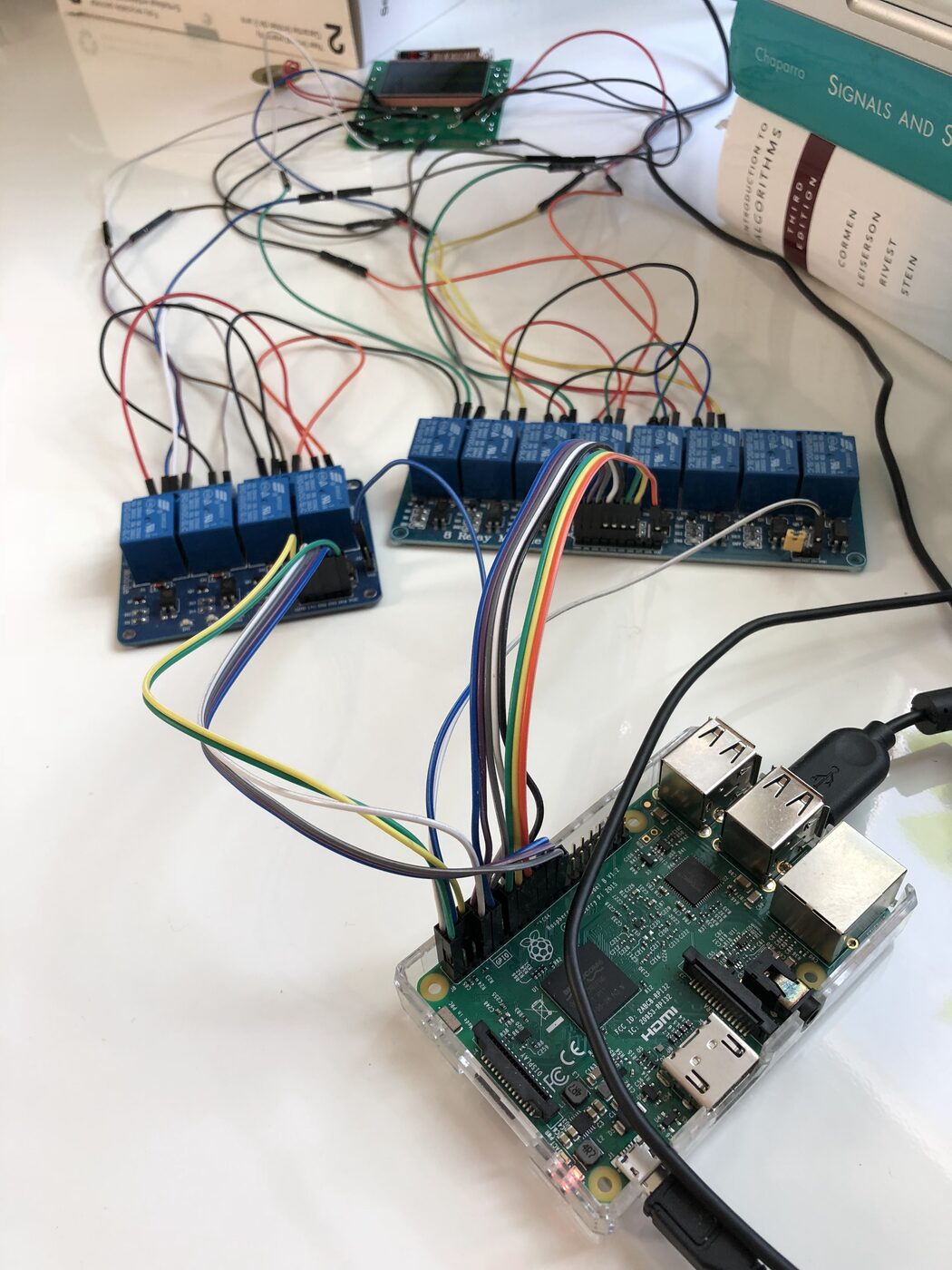
Ten buttons need ten relays, which is a four-channel board and an eight-channel board sharing the Pi’s header.
Reading dice from a tiny LCD
I used the Raspberry Pi camera module pointed at the handheld’s LCD. It captures a 1280-by-720 MJPEG stream at five frames per second with GoCV, always keeping the newest frame. When it needs to act, it copies that frame and asks a small Flask service to identify the five displayed dice. If recognition fails, the controller retries rather than blindly pressing ahead.
The vision pipeline is deliberately narrow and deterministic. Given this fixed device and camera placement, it did not need a trained model:
- Adaptive histogram equalization and grayscale conversion make the LCD less sensitive to uneven lighting.
- Canny edges, border clearing, and connected components locate the display viewport.
- The same process within that viewport finds approximately square die regions; candidates are filtered by size and aspect ratio, then the five most evenly aligned boxes are selected.
- Each cropped die is resized and compared with templates for one through six using correlation. The regions are sorted left to right before returning the result.
The detector also has an annotation mode: it saves captured images and accepts a human-entered roll. That made it possible to build a labeled collection of mistakes while continuing to exercise the rest of the control loop.
So did it work?
Recall that this entire apparatus — the retrograde analysis, the hand-written SIMD kernels, the relay board, the die classifier, the several weekends — exists because my girlfriend beat my high score of 407.
The honest answer is that the question quietly changed on me somewhere around the second weekend. By the time the rig was mashing New Game on its own at two in the morning, I had stopped caring very much about 407 and started caring about whether the thing worked at all, which is how these projects usually go.
Whether the number on the machine today was put there by a person or by a Raspberry Pi is a matter between me and the machine :)
The full source—including the solver, JSON service, image-processing code, and Pi controller—is available at github.com/timpalpant/yahtzee. You can play along and see optimal suggestions at yahtzee.palpant.us.