Dropbox in Dolphin
Another one, after 3 apps in 3 days: kio-dropbox, which puts a Dropbox account at dropbox:/ in Dolphin.
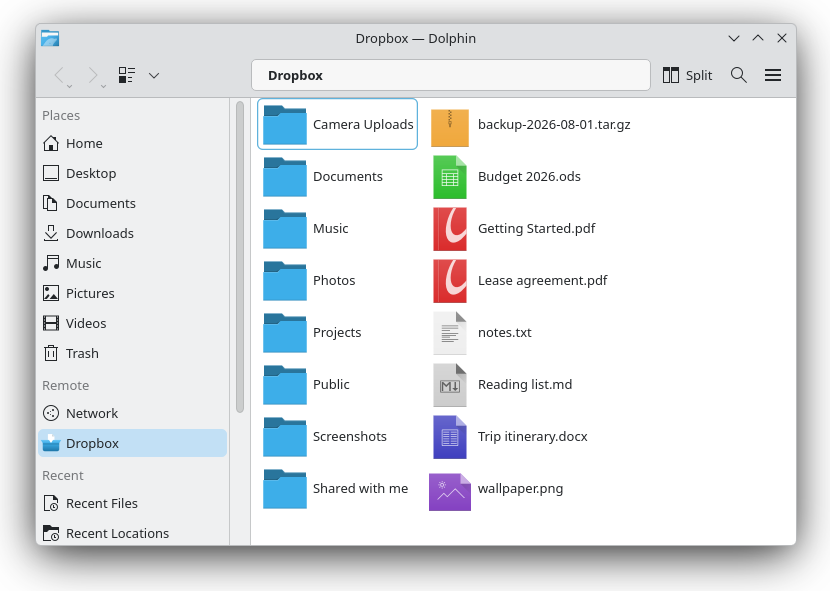
This one is not a Kirigami application, and mostly has no window of its own. It is a KIO worker: a protocol plugin that KDE loads into whatever happens to be asking. So Dropbox turns up in Dolphin’s sidebar, but also in the file dialog of every other KDE application—open a document from it, save into it, without a sync daemon in between.
This is the arrangement phones have had for years. On iOS, Dropbox registers a File Provider and appears as a location in Files; on Android it publishes a documents provider and shows up in the system picker. In both cases the storage is a place inside whatever app you are already using, rather than an app you have to go visit first. The desktop has had the same machinery for far longer; it just never had a Dropbox implementation.
Folders are listed on demand, files stream as they are opened, and moving or copying within Dropbox happens on Dropbox’s side without transferring anything.
There was no existing worker for this. KDE ships kio-gdrive for Google Drive, and dolphin-plugins has a Dropbox plugin, but that one only draws sync-status overlays on the folder the proprietary client creates. Nothing spoke the HTTP API.
Arch, Debian and RPM packages are built by CI; the repository has the details.
I worked on the Dropbox desktop client once. That client solves a much harder problem than this one does—real sync, conflict resolution, filesystem integration—and this is no replacement for it. But the distance between “I would like Dropbox in my file manager” and having it there has changed by a lot.